| Platform |
| Form Factor |
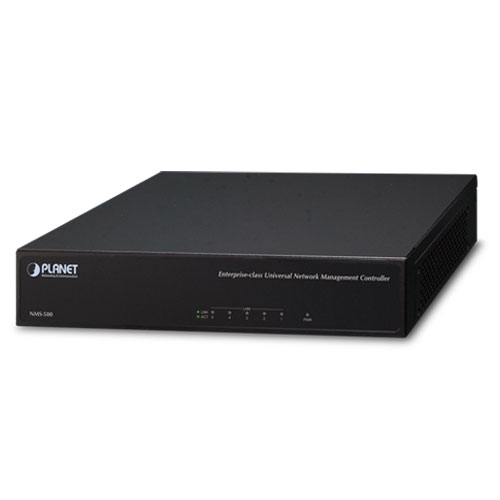
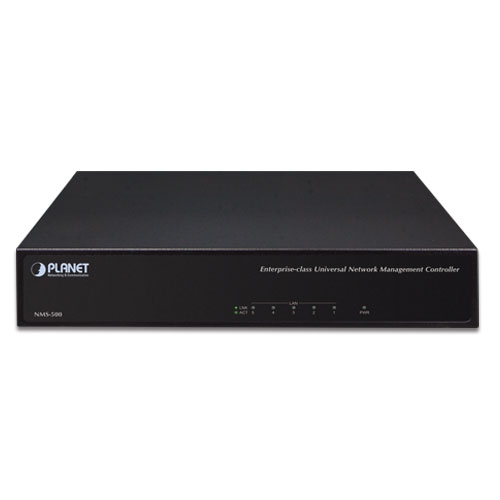
Desktop |
| Processor |
Intel® Celeron® N3350 up to 2.6 GHz |
| Memory |
2GB SDRAM, DDR3L-1866, 256M*16bit |
| Physical Specifications |
| I/O Interface |
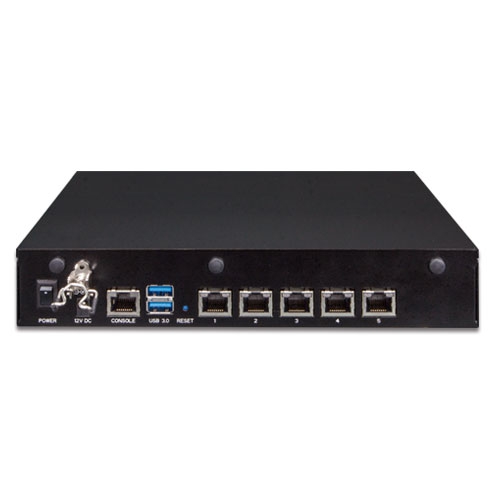
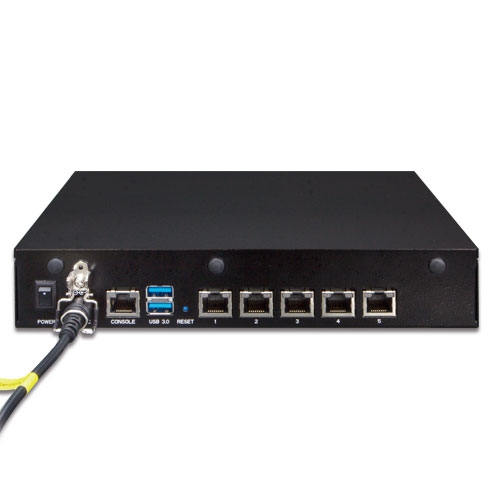
Five10/100/1000BASE-T RJ45 ports with auto-MDI/MDI-X
2 USB 3.0 ports (They cannot be used at the same time.)
1 RS232-to-RJ45 console port (115200, 8, N, 1)
1 DC jack power input
1 power switch
1 reset button |
| Storage |
8GB EMMC5.1, 15nm/2 eMLC |
| Dimensions (W x D x H) |
232 x 152 x 44 mm |
| Weight |
1.15 kg |
| Enclosure |
Metal |
| Power Requirements |
60W adapter 12V 5A with DC jack
AC 100~240V, 3~1.5A, 60~50Hz. |
| Environment & Certification |
| Temperature |
Operating: 0 ~ 40 degrees C
Storage: -20 ~ 75 degrees C |
| Humidity |
10 ~ 85% relative humidity (non-condensing) |
| MTBF (Hours) |
120,000 |
| Network Management |
| Number of Managed Devices |
512 |
| Number of RADIUS Client Devices |
512 |
| Number of RADIUS User Accounts |
10,000 |
| Auto Discovery |
Supports PLANET devices |
| Dashboard |
Summarized system overview includes online device numbers, activated client numbers |
| Device List |
Allows creation and maintenance of device profiles |
| Autp-Topology View |
Provides visual topology view of connected PLANET devices |
| Status Monitoring |
Real-time online/offline devices |
| Event and Syslog Report |
Real-time system event and syslog server supported |
| Event Alarm Define |
Allows event alarm item option |
| SMTP Alarm |
E-mail alert to the administrator via the SMTP server |
| SSID/RF Profile |
Allows creation and maintenance of multiple wireless profiles |
| Cluster Management |
Allows AP grouping for bulk provisioning and batch upgrading |
| Bulk AP Provisioning |
Supports bulk AP provisioning with user-defined profiles |
| Bulk AP Firmware Upgrade |
Supports bulk AP firmware upgrade |
| Coverage Heat Map |
Enables real signal coverage of managed AP reflecting on the uploaded zone maps |
| Graphical Statistics |
Real-time and historical visibility of wireless traffic flow |
| Backup/Restoration |
Provides system and profile backup/restoration |
| SSIDs-to-VLANs Mapping |
Allows to configure SSIDs-to-VLANs mapping in supported APs |
| RADIUS Authentication |
RADIUS server is integrated for client authentication in a large-scale enterprise network |
| User Account Management |
Supports on-demand account creation per user-defined access policy |
| Secure Management Interfaces |
TLS 1.2 w/ UNC-NMS, SSLv3, SNMPv3 |
| Network Services |
| Network |
DDNS: Supports PLANET DDNS/Easy DDNS
DHCP: Built-in DHCP Server for auto IP assignment to APs
Management: Console; Telnet; SSL; Web browser (Chrome is recommended); SNMP v1, v2c, v3
Discovery: Supports SNMP, ONVIF and PLANET Smart Discovery |
| Maintenance |
Backup: System backup and restore to local or USB HDD
Reboot: Provides system reboot manually or automatically per power schedule
Diagnostic: Provides IPv4/IPv6 ping and trace route |
| Standards Conformance |
| Regulatory Compliance |
CE, FCC |
| Standards Compliance |
IEEE 802.3 10BASE-T
IEEE 802.3u 100BASE-TX
IEEE 802.3ab Gigabit 1000BASE-T
IEEE 802.3x Flow control and back pressure
IEEE 802.3z Flow control with Rx thresholds and Tx pause frames
IEEE 802.3az (EEE) |
| [Remarks] |
Router: Log in to the router’s Web user interface and enable the SNMP function.
Switch: Log in to the switch’s Web user interface and enable the SNMP and LLDP function.
AP: Log in to the AP’s Web user interface to configure the AP to “Managed AP”. In support of SNMP AP, enable the SNMP function.
IP Cam: The ONVIF function is enabled by default. |











 网站地图
网站地图 联系我们
联系我们 RSS
RSS